3 min read
Bridging the Gap: How I Automated Local Community Outreach with n8n
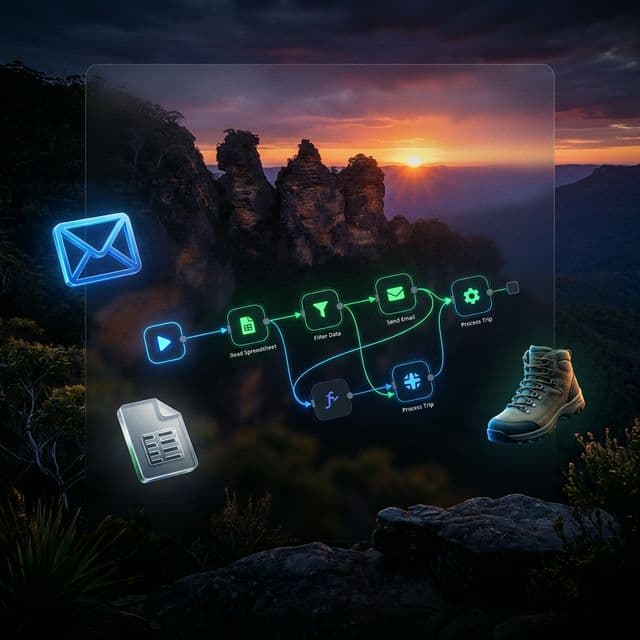
As a Creative Technician, I spend a lot of time solving the "last mile" problems that sit between a good idea and a system people can actually use. Recently, I partnered with Lifestyle Hikers to solve one of those problems: manual community outreach.
With more than 85 members and growing, the team was spending too much time drafting and sending announcement emails by hand. It worked, but it did not scale. Every trip update meant repeating the same process, rebuilding the same message, and hoping no one forgot a key detail.
So we replaced that entire routine with a clean, one-click automation.
The Objective: Zero-Touch Broadcasting
The goal was simple:
- let a trip leader fill out a lightweight form on their phone
- generate a professional, branded HTML email automatically
- send it to every member without touching code
- remove manual copy-pasting and reduce room for human error
In other words, the system had to feel easy for the team using it, even if the plumbing behind the scenes was doing serious work.
The Stack
This build came together with:
- n8n as the orchestration engine
- Google Sheets as the source of truth for member data
- Gmail API for reliable delivery over standard web ports
- Custom HTML/CSS for a responsive 600px email template
That combination gave us a workflow that was flexible enough to customize, but simple enough to maintain.
The Technical Hurdles (And How We Beat Them)
This was not just a drag-and-drop workflow. We ran into a few very real engineering problems along the way.
1. The DigitalOcean Port Blockade
We started with the obvious approach: standard SMTP.
That plan died quickly when we ran into a familiar infrastructure rule. Because the n8n instance is hosted on DigitalOcean, outgoing mail ports like 465 and 587 were blocked to reduce spam abuse.
The fix: we pivoted to the official Gmail Web API. By authenticating through OAuth 2.0 and sending over Port 443, we kept everything inside normal web traffic. Same outcome, much less friction.
2. The Google Cloud "Testing" Trap
Google Cloud does not make custom app setup especially forgiving. By default, a new OAuth app sits in Testing mode, which means Google will reject connections unless the account is explicitly approved as a test user.
That is exactly why we hit the dreaded "Verification required" wall.
The fix: we went into the OAuth Consent Screen configuration and explicitly authorized lifestylehikersja@gmail.com as a test user for the app. Once that account was recognized properly, the Gmail connection stopped fighting us.
3. The Case-Sensitivity Bug
One of the most annoying bugs looked simple on the surface: 404 Sheet Not Found.
The problem was not permissions. It was naming.
The n8n Google Sheets node is extremely literal, so the tab name in the workflow had to match the actual Google Sheet tab exactly: Form responses 1.
That meant:
- same capitalization
- same spacing
- no extra characters
- no assumptions
The fix: match the tab name exactly, character for character. Once we did that, the workflow snapped into place.
The Result: Precision at Scale
Today, the Lifestyle Hikers team does not touch HTML code at all.
They have a private URL bookmarked on their phones. They enter the trip date, destination, and flyer link, then the workflow handles the rest. It pulls the member list, builds the branded email, and sends the message cleanly at scale.
The result feels small from the user side, which is exactly the point.
- each member gets a polished outreach email
- first names can be personalized dynamically
- imagery stays mobile-friendly
- the team stays focused on the community instead of repetitive admin work
That is the kind of automation I care about most. Not flashy for the sake of being flashy. Useful, resilient, and built around how real people actually work.
Why This Matters
This project was a reminder that automation is rarely about replacing people. It is about removing repetitive friction so people can spend their time where it matters more.
For Lifestyle Hikers, that meant less time formatting emails and more time building energy around the next trail.
For me, it was another example of what being a Creative Technician really means: bridging the gap between a team’s intent and a system that can carry it forward.