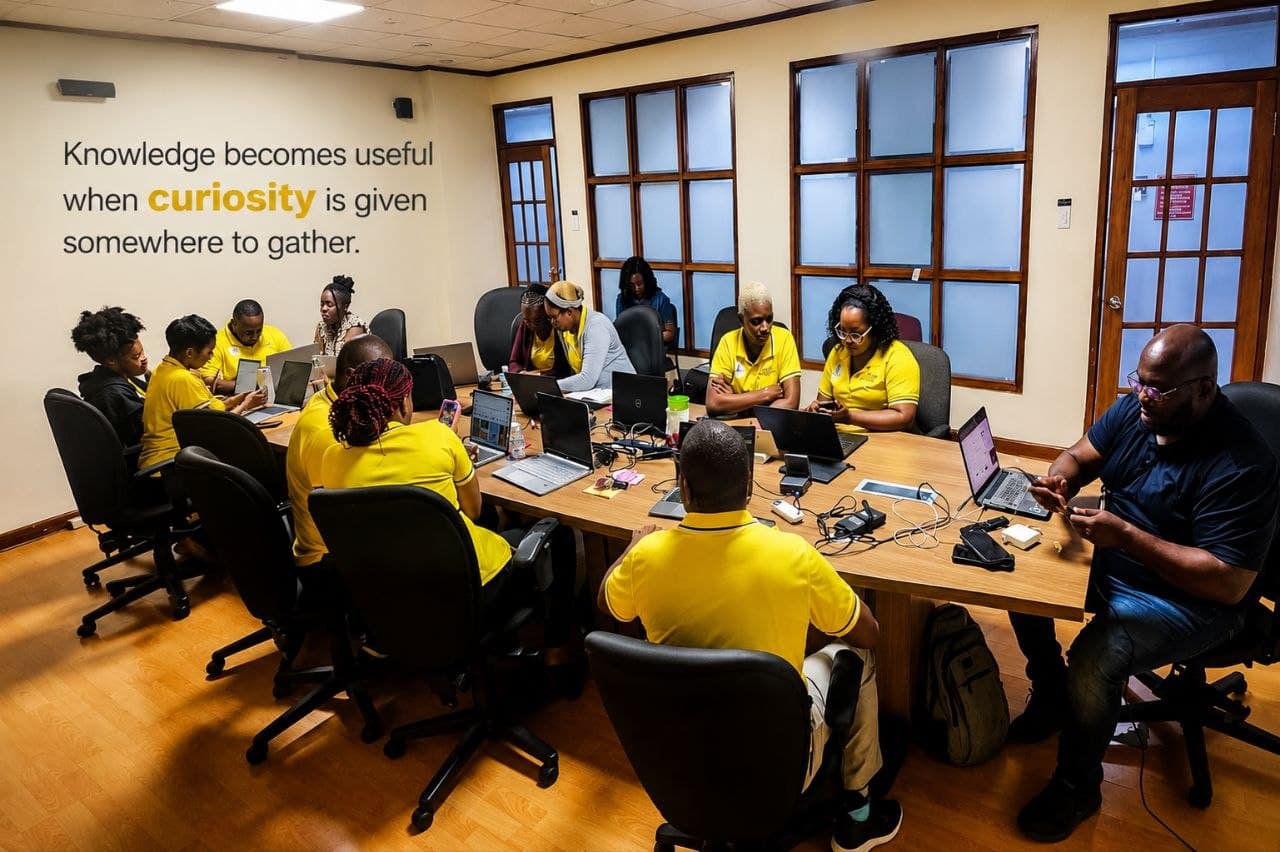
In August 2025, Jamaica Public Service invited me to run an AI content-creation session for their team. In August 2026, they invited me back.
Repeat invitations are the only metric that matters in corporate training. A feedback form can tell you people enjoyed the day; a second booking tells you the first one actually changed how they work. This is the story of what I built, what I learned delivering it, and what I'd tell anyone asked to do the same.
The problem with most AI training
Most workplace AI sessions fail the same way: a presenter talks at a room about what AI can do, shows a few impressive demos, and sends everyone home inspired and helpless. Inspiration fades by Monday. Capability doesn't.
My rule for these sessions is simple: every participant builds something real before they leave. No demos of my screen for an hour. Not slides about prompts. Actual hands, actual tools, actual work products.
The 3E framework for content creation
When participants make their videos, I teach one framework: Entertain, Engage, Educate — in that order.
- Entertain. If the first few seconds of your video don't grab someone, they scroll past. Open with a hook: a question, a surprising fact, a moment that earns the next five seconds.
- Engage. Now that you have their attention, make them feel involved. Show something relatable, speak directly to a problem they recognise, get them nodding before you teach anything.
- Educate. Only now does your message land, because it's attached to something the viewer already feels rather than something they were told to care about.
Most content does this backwards — education first, delivered flatly, with engagement hoped for and entertainment skipped entirely. The 3E sequence is why a one-minute phone video can outperform a polished corporate deck.
What the workshop covers
I structured the day as a six-phase journey rather than a lecture:
- Discover — a digital presence audit. Before touching any tool, each person sees what the internet currently says about them.
- Define — settle on a core message worth amplifying.
- Create — script and film a short video on a phone. Nothing fancy.
- Enhance — edit in CapCut against a guided checklist: trim pauses, order the story hook-message-proof-close, add captions.
- Share — peer review with two stars and one cut, then publish.
- Grow — turn the output into LinkedIn presence and portfolio habits.
The phase structure matters more than it looks. It converts a vague topic ("AI") into a sequence of small, finishable wins. By lunch, everyone has shot footage. By mid-afternoon, everyone has an edited video. By close, several have published.
Underneath the phases, AI runs through the whole day in three roles: research (auditing your digital presence and studying what works in your field before you create anything), planning (using AI to shape your core message, script outline and posting plan), and execution (AI-assisted scripting, captioning and editing to get from idea to published video faster).
What actually happens in the room
Here's the part no curriculum document captures: the room does not move at one speed.
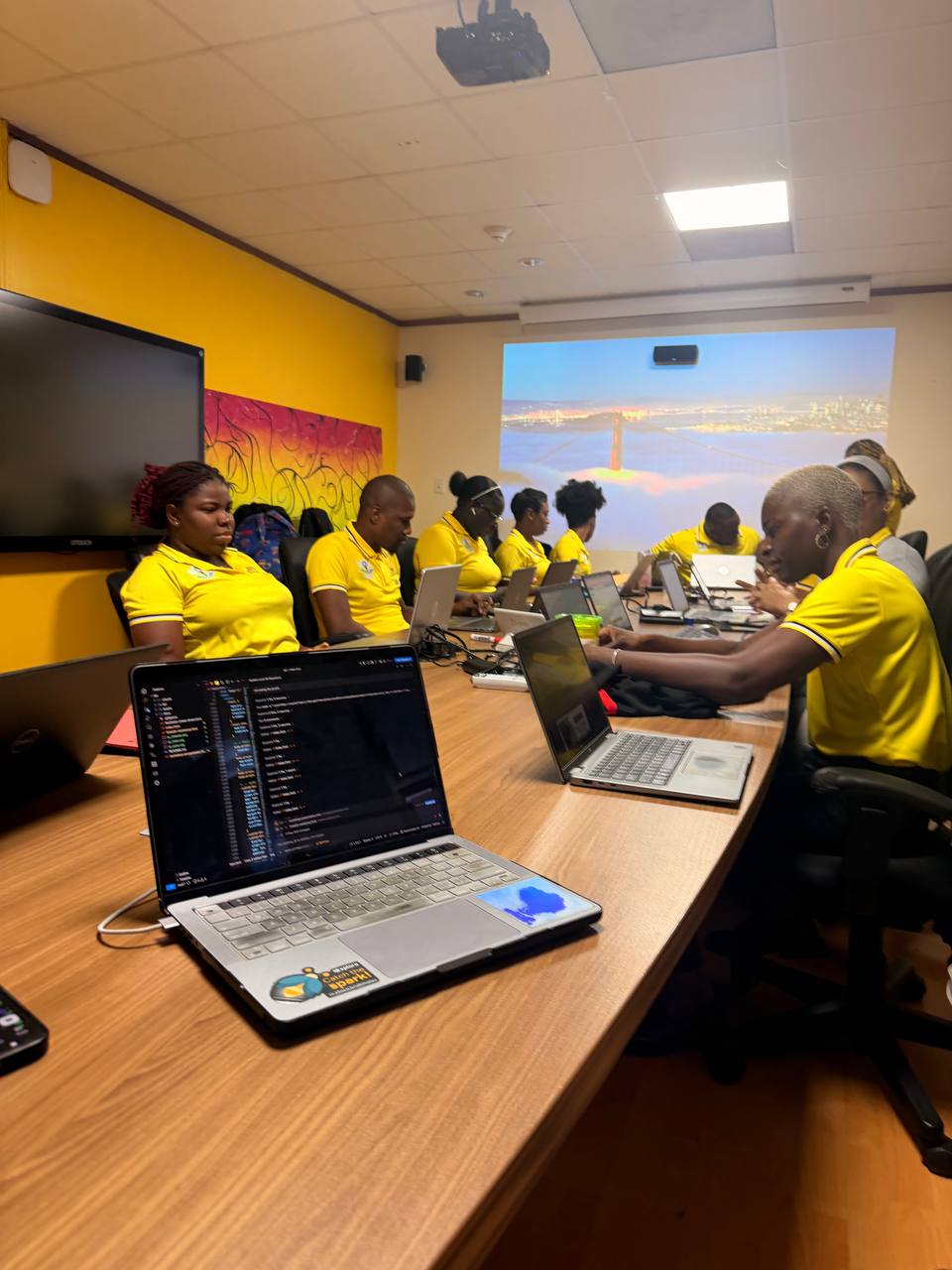
Some participants arrive already using ChatGPT daily and need pushing on depth. Others have never opened an AI tool and need permission to experiment without breaking anything. The photos from this year's session show what I consider success: every laptop open, every phone out, nobody watching me talk.
I keep three things running throughout:
- Learning by doing over perfect pacing — I built a per-phase timer for the session and barely touched it. When people are actually making things, the work sets the pace. If someone messes up, we fix it right there — and that fix is often the most valuable lesson of the day.
- An interactive app instead of slide decks — participants follow along in a browser-based guide with checklists, examples and fallback summaries, so nobody has to squint at a projector or fall behind on step four while we're on step seven.
- Specific, individual feedback — when reviewing someone's video draft or LinkedIn profile, "nice job" is useless. "Your hook is eight seconds too long and your proof beat buries the number" changes their work immediately.
What I'd change, honestly
The first year, I over-prepared content and under-prepared pacing. This year I cut two segments entirely and gave the saved time to hands-on editing — the right call. The segments where participants make things generate ten times the energy of the segments where I explain things.
Second: captions matter more than polish. Several participants said the automatic-captioning step was the single most useful thing they took back to their daily work, because most people watch video muted.
What JPS got out of it
A room full of staff who went from "AI is something other people use" to having personally scripted, filmed, edited and shared a video using AI-assisted workflows. That shift — from audience to operator — is the entire point, and it's why the invitation came back a second time.
If you're planning corporate AI training
Three rules I'd hand to anyone running one of these:
- Make content that entertains, engages, then educates. The 3E framework for the videos (not the workshop) is the skill people take back to their desks — hook first, connect second, teach third.
- Build, don't demo. If participants haven't produced something by the end, the session failed regardless of the feedback scores.
- Structure beats content. Six clear phases beat forty informative slides.
If your organisation wants a session like this — practical, hands-on, tailored to the tools your people actually touch every day — get in touch.